ENCY 2.8 Update: Faster Toolpath Calculation with More Flexible Background Simulation
Limassol, Cyprus, April 17, 2026 — ENCY Software has released version 2.8 of ENCY, its CAD/CAM system, and ENCY Robot. This release brings faster toolpath calculation, more flexible background verification, improved simulation behavior, and a set of practical usability and stability updates.
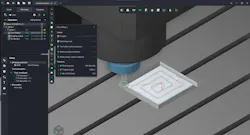
Background simulation during toolpath calculation
ENCY calculates the machining result and runs checks during toolpath calculation. This is especially convenient for simple projects that do not include fine-step finishing operations.
In ENCY 2.8 (https://encycam.com/ency/) and ENCY Robot 2.8 (https://encycam.com/ency-robot/), background simulation during toolpath calculation can now be configured more flexibly. System settings now let you define separately both the machining result calculation and the level of checks performed at the toolpath calculation stage.
If background machining simulation is disabled, the system calculates only the toolpath from the 3D model, while the machining result can be checked later in Simulation mode.
At the same time, operations that require the result of the previous machining step for correct calculation continue to work properly: ENCY automatically calculates the required intermediate result for Waterline Roughing, Plane Roughing, Pocketing, Hole Machining, and all lathe machining operations. For example, when calculating Waterline Roughing, the result of Face Milling may also be calculated, while 3D Helical does not require the result of the previous operation.
If background machining simulation is enabled, the machining result is available immediately after toolpath calculation. This makes it easier to evaluate the state of the part or workpiece without launching Simulation mode separately, which is especially useful in projects without a large number of fine-step finishing operations. At the same time, collision detection may be disabled.
The level of collision detection can also be selected separately: holder-only collision detection for faster calculation, the holder + machine scenario, or full control of all machine nodes.
Depending on the selected settings, the new operation statuses immediately show how thoroughly the calculated toolpath has been verified. To support this, we introduced different operation statuses.
You can now control calculation time more precisely. In simple projects, you still get immediate visual feedback on the workpiece and detected issues. In more complex projects with many dependent operations, setups, or fine-step finishing passes, you can reduce background processing and avoid spending time on checks that are not needed at that stage.
Machining simulation in the Simulation mode
The Simulation mode has also been updated. Collision detection settings are now shown in a separate pop-up window that appears when you hover over the button with the exclamation mark. The detection level in Simulation mode cannot be set below the level defined in system settings for background simulation. If background collision detection are disabled or only partially enabled, Simulation mode still lets you choose the required verification level and run machining simulation there.
You also no longer need to start a full step-by-step simulation just to see the machining result and check the toolpath for collisions. You can select the required checking level and use the fast simulation buttons to get the result for a specific operation or for the whole machining process much faster. This lets you focus only on problematic operations.
Bar pull during Part-off with takeover
ENCY 2.8 adds bar pulling during Part-off with takeover. It is now possible to control both the pulling length and the clamping depth. The operation’s CLData can define a strict sequence of motions in the NC program:
- turret indexing
- approach to the plunge position along the Z axis
- counter spindle approach
- picking and pulling the workpiece
- approach to the plunge position along the X axis
- part-off
- retraction of the tool and the counter spindle
New algorithm for Rotary machining calculation
The calculation algorithm for Rotary machining operations has been updated. These operations are now multithreaded and distribute the load across all available processor cores. Operation execution time is now up to 10 times shorter.
The updated calculation also produces a smoother toolpath when working with normals and lateral angle, while the new Normal Smoothing Distance parameter makes it possible to fine-tune the smoothing level.
Usability improvements
This release also includes updated smart hints for operation parameters, updated icons in the operation creation window, an updated metallic effect for the 3D model, and a faster 3D model import algorithm. The support request window opened from the NC program generation window has also been updated.
ENCY 2.8 also reduces startup time by optimizing active calculation and checking parameters, updates smart selection of 3D model elements and work with them, and adds new commands for manufacturer-supplied interpreters:
- Heidenhain_ITNC530: CYCL DEF 267, 267, 252
- Sinumerik840D_TurnMill: POCKET4, SubPrograms
- Sinumerik840D_Mill: Cycle90
What was fixed
The release includes more than 160 fixes aimed at improving calculation stability and accuracy. The update addresses crashes and freezes during simulation, incorrect toolpath calculation, issues with large projects, opening and saving projects, machine kinematics, equipment settings, and false collision detections. Interface issues related to scaling, element display, and window behavior have also been fixed, along with improvements to sketches, construction tools, operation parameters, and geometry import.
Users with an active software maintenance contract (SMC) have already received notifications about the release and can now update to ENCY 2.8.