New in ENCY 2.7: Smarter Cladding Control, Expanded Robot Support, and 120 Improvements
Limassol, Cyprus, January 30, 2026
New in ENCY 2.7: Smarter Cladding Control, Expanded Robot Support, and 120 Improvements
ENCY 2.7 is now available, delivering 120 changes across workflow improvements and bug fixes. This release strengthens additive workflows with the new Power parameter for Non-planar slicing, adds support for new robot families, and improves everyday usability — especially when reporting issues to technical support.
Feed and power control for cladding operations
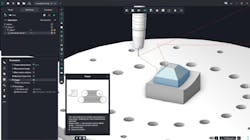
ENCY 2.7 expands process control for additive workflows by introducing the Power parameter in Non-planar slicing. Power is now supported in two operations: Cladding 5D and Non-planar slicing.
For better surface quality in corner regions, you can also scale power as a percentage of the nominal value when cladding in corners. Together with Feed, this gives you a more practical way to tune deposition: adjust Power + Feed to balance bead formation and surface finish.
Usability improvements
New technical-support message window. We redesigned the support message window and expanded its functionality. You can now take a screenshot from the application interface, and it is automatically attached to the file list sent to technical support.
New robots. ENCY 2.7 adds support for new robot families:
- Techman Robot, JHY, EVS, HANS Robot, HSR, FAIRINO
The robot library was also updated for:
- OMRON, ABB, AUBO, BORUNTE, Dobot, ESTUN, EFORT, Epson, uFactory
Check fixtures. For 2D Contouring and Hole machining, you can now disable collision checking with fixtures — useful when drilling through a part and fixture plate is intentional and safe in your process.
Other editor/workflow refinements. This release also includes:
- Arrow-key (Up/Down) navigation through CL-data rows while the Machine control panel is open
- Updated smart hints for Cladding 5D and Non-planar slicing
- Updated mill operation illustrations in the New Operation window
Stability, simulation, and quality fixes
ENCY 2.7 includes a broad set of stability and correctness fixes across projects, simulation, UI, CAD import, and automation. Highlights include:
- Non-planar slicing: fixed issues with the starting tool point parameter.
- Swarf operation: fixed extend/trim passes for closed contours and the two-curve calculation method.
- Simulation: fixed saving simulation results to .stl, improved simulation performance, and fixed cases where simulation speed could trigger false collision detection.
- Projects & stability: fixed inability to restore the last saved project after an unexpected crash, and fixed issues preventing saving a project to cloud services (e.g., Microsoft OneDrive).
- Machine/axis behavior: fixed errors when working with the 4th axis in Rotary operations; fixed incorrect workpiece position detection for mill-turn machines; fixed automatic rotation of the workpiece coordinate system for Swiss type lathes.
- CAD & import: fixed CAD module errors that caused project opening problems; fixed STEP import when external borders are invalid.
- Editors & UI: fixed hotkey conflicts in Intellectual object selection on 3D models, dialogs hiding behind the main window, and multiple visual issues (including the AI Assistant window and nonstandard monitor scales).
- Fixed freezes when repeatedly switching in the Addin Manager.
- Fixed issues in MachineMaker, fixed errors in ENCY Tuner, fixed visual issues in Feature Based Machining (FBM) settings and for Wire EDM machining.
- Installation & licensing: fixed installer issues, antivirus conflicts during installation, and license switching problems.
How to get the update
If you have an active software maintenance contract (SMC), ENCY 2.7 is available through the standard update channels (the system updater, or via your dealer / technical support).
For more details about this update or to explore how ENCY software can streamline your programming processes, visit our website encycam.com or contact our support team.
For more information, contact Dmitriy Osnach, Marketing Team Lead: [email protected]
About ENCY
We leverage over 30 years of experience in developing CAD/CAM solutions, combining deep industry knowledge with an innovative approach. The new ENCY brand represents a breakthrough in technology and a fresh perspective on traditional processes, merging time-tested methods with modern tools for CNC and robotic programming. The ENCY X ecosystem embodies this approach, delivering cutting-edge design and manufacturing capabilities supported by cloud technology and AI for fast and efficient operations.
Discover more at encycam.com and follow us on social media.